Fresia
From product showcase to a complete e-commerce experience.
A digital experience connecting product discovery, online purchasing, professional installation, and post-purchase management.
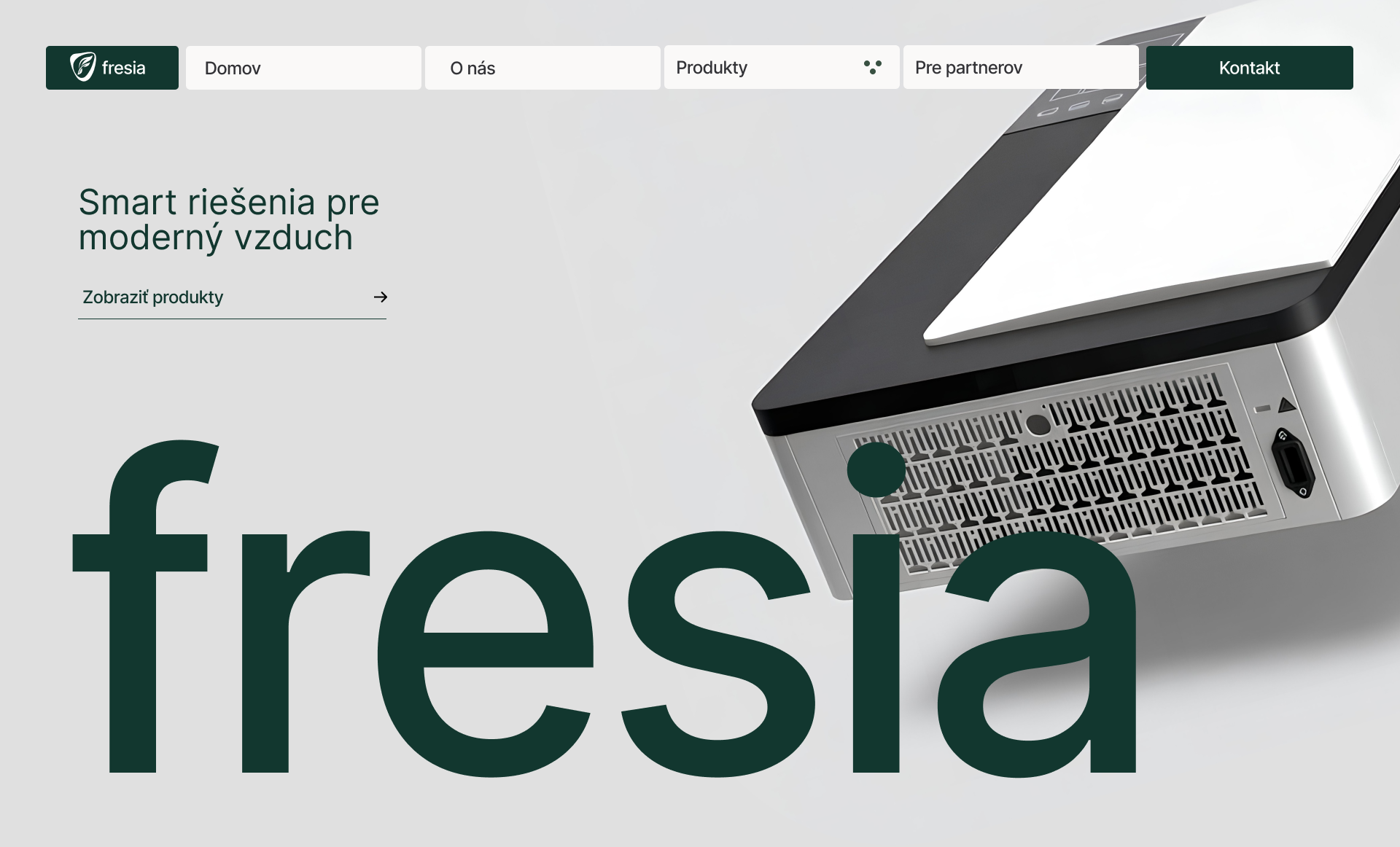
A product experience designed to grow.
Fresia began as a presentation website introducing three home ventilation products. As the project evolved, the experience expanded into an e-commerce platform designed to support the entire customer journey — from discovering a product to arranging installation and managing a purchase afterward.
- Fresia
- Product Website, E-commerce, Installation Configurator, Customer Account
- UX/UI Design, Responsive Web Design
- Web / Mobile
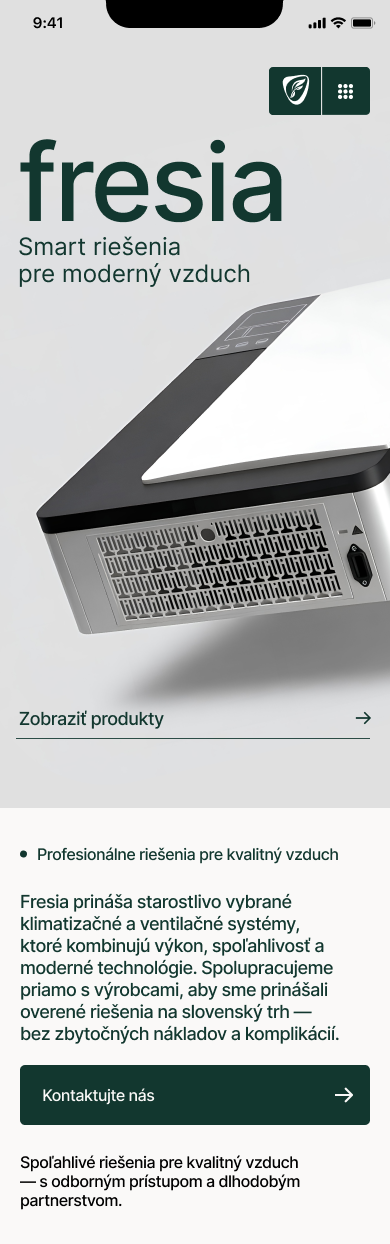
Making product decisions clearer.
The product experience brings together essential specifications, pricing, availability, compatible accessories, and installation options in one interface. Customers can explore the product and choose between purchasing it independently or adding professional installation.
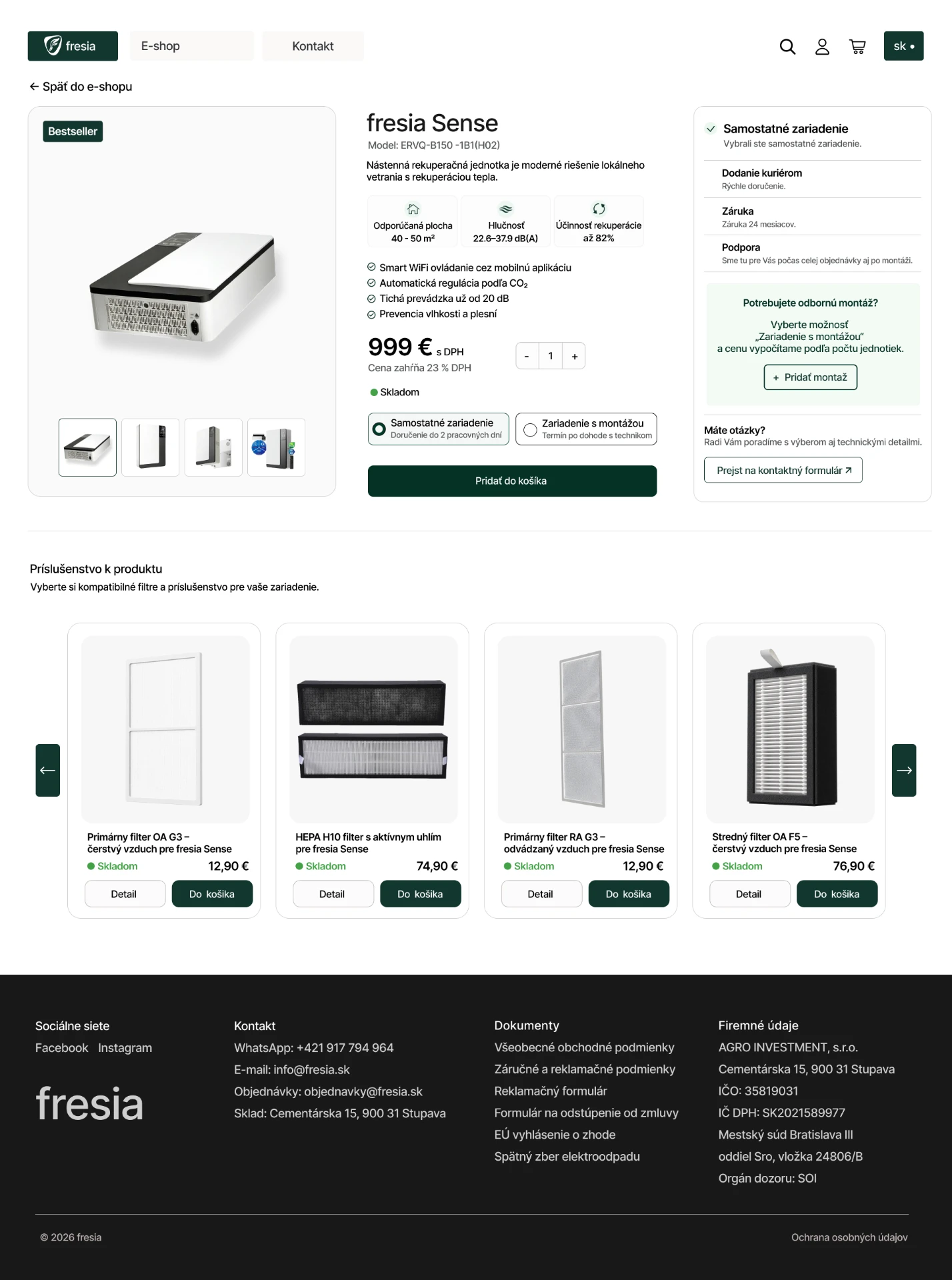
Product details, purchasing options, and installation choices — within one flow.

Simplifying a technical installation process.
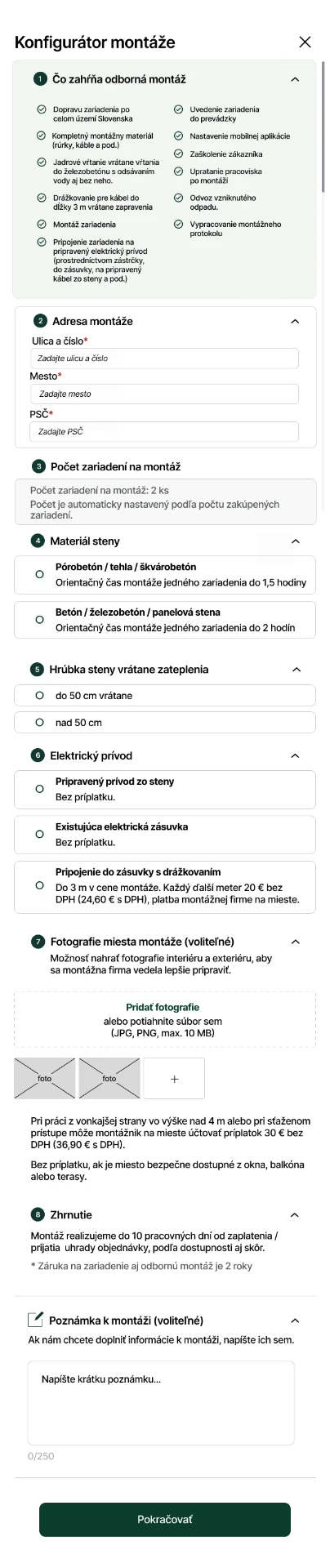
Professional installation requires information that goes beyond a typical online purchase. The configurator organizes installation details into a structured interface, helping customers provide information about the installation address, wall construction, electrical connection, and site conditions.
The experience also supports photo uploads and additional notes, giving installation teams more context before the work begins.
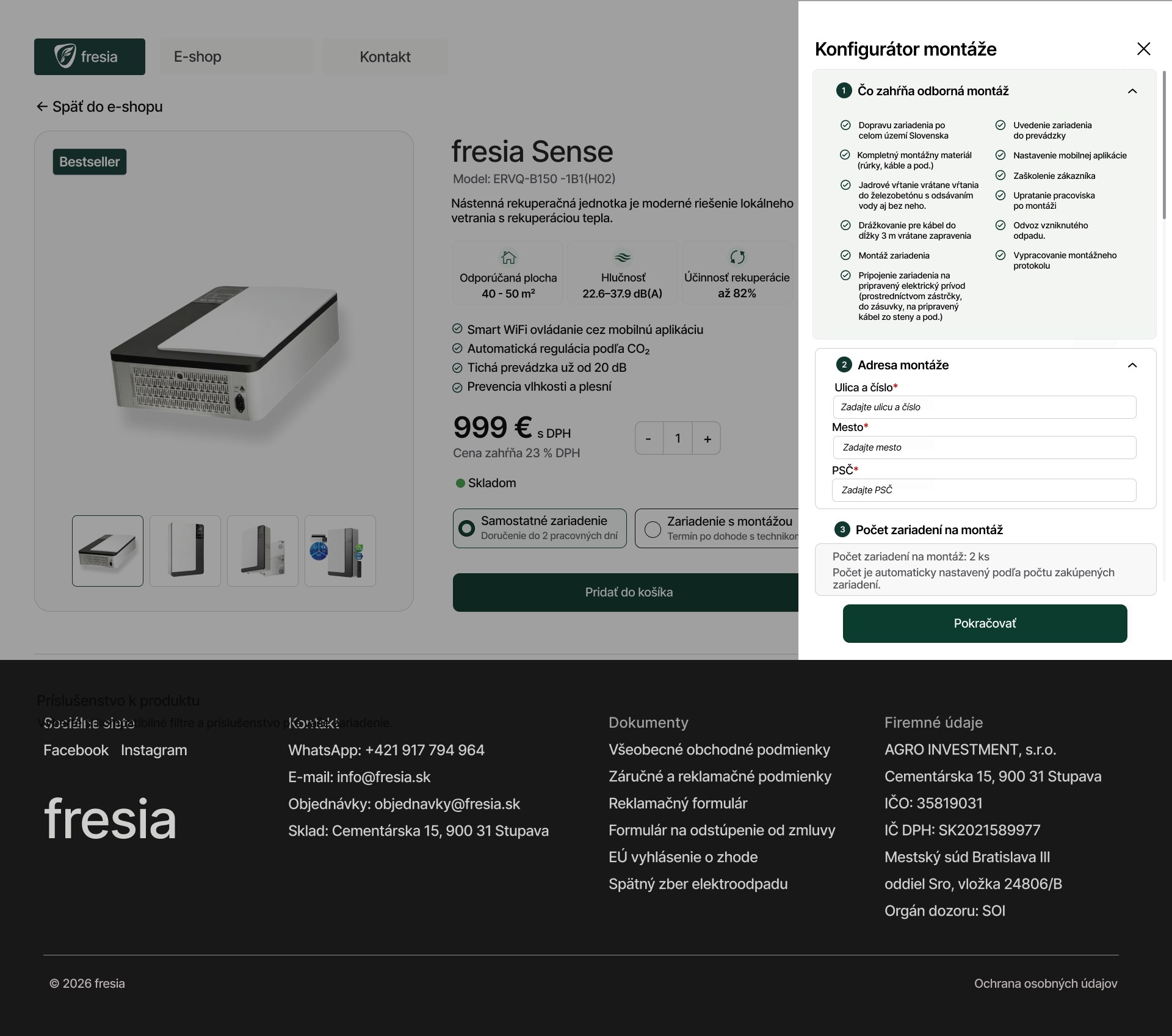
From complex requirements to a clear, guided installation experience.
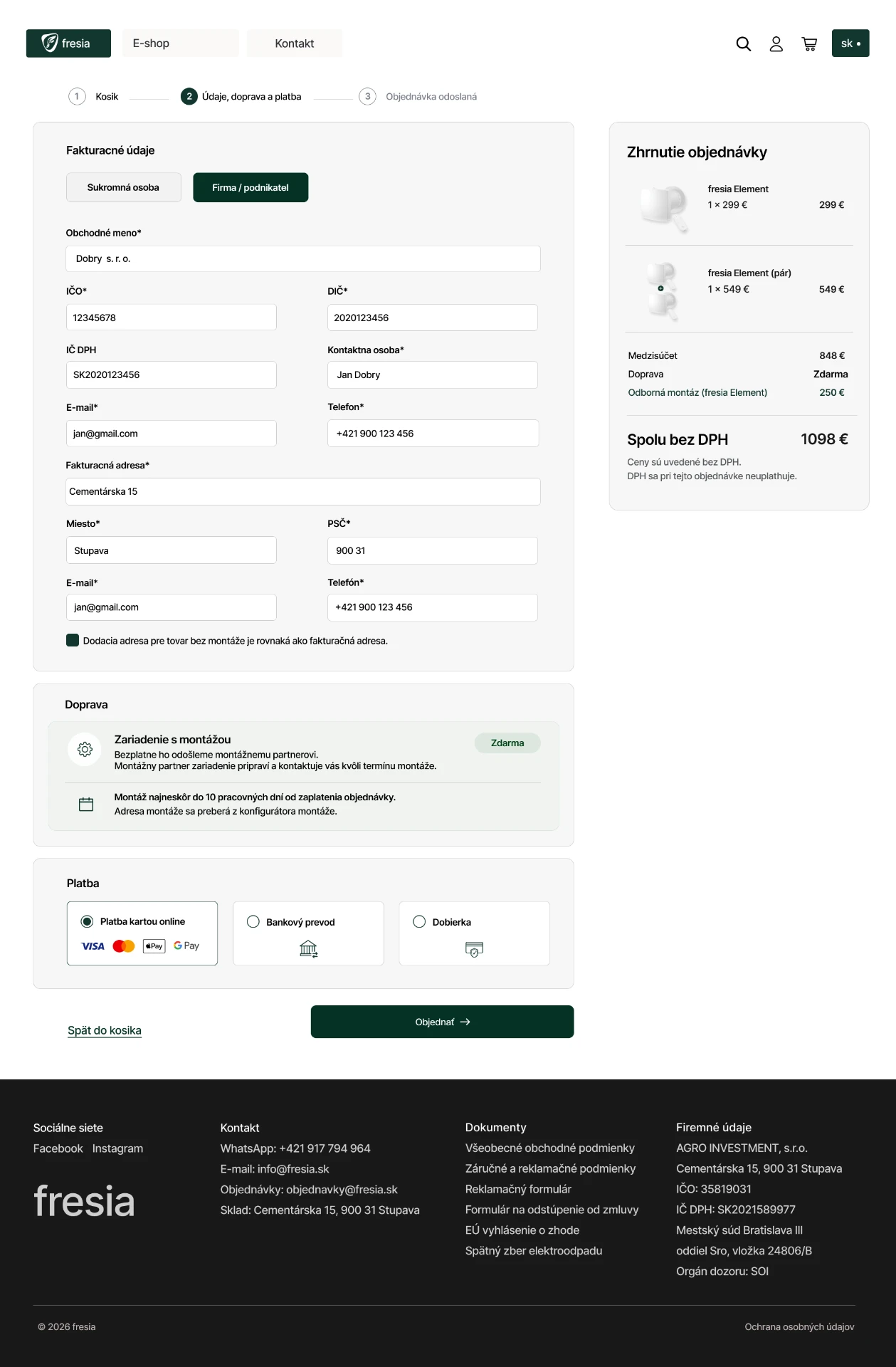
A structured path to purchase.
The checkout experience organizes billing information, delivery details, payment methods, and order summary into a clear sequence. The responsive layout adapts these elements for smaller screens while keeping the essential information accessible.

The experience continues after checkout.
The customer account extends the shopping experience beyond the transaction. Customers can review orders, follow delivery and installation progress, access registered devices, and find warranty-related information.
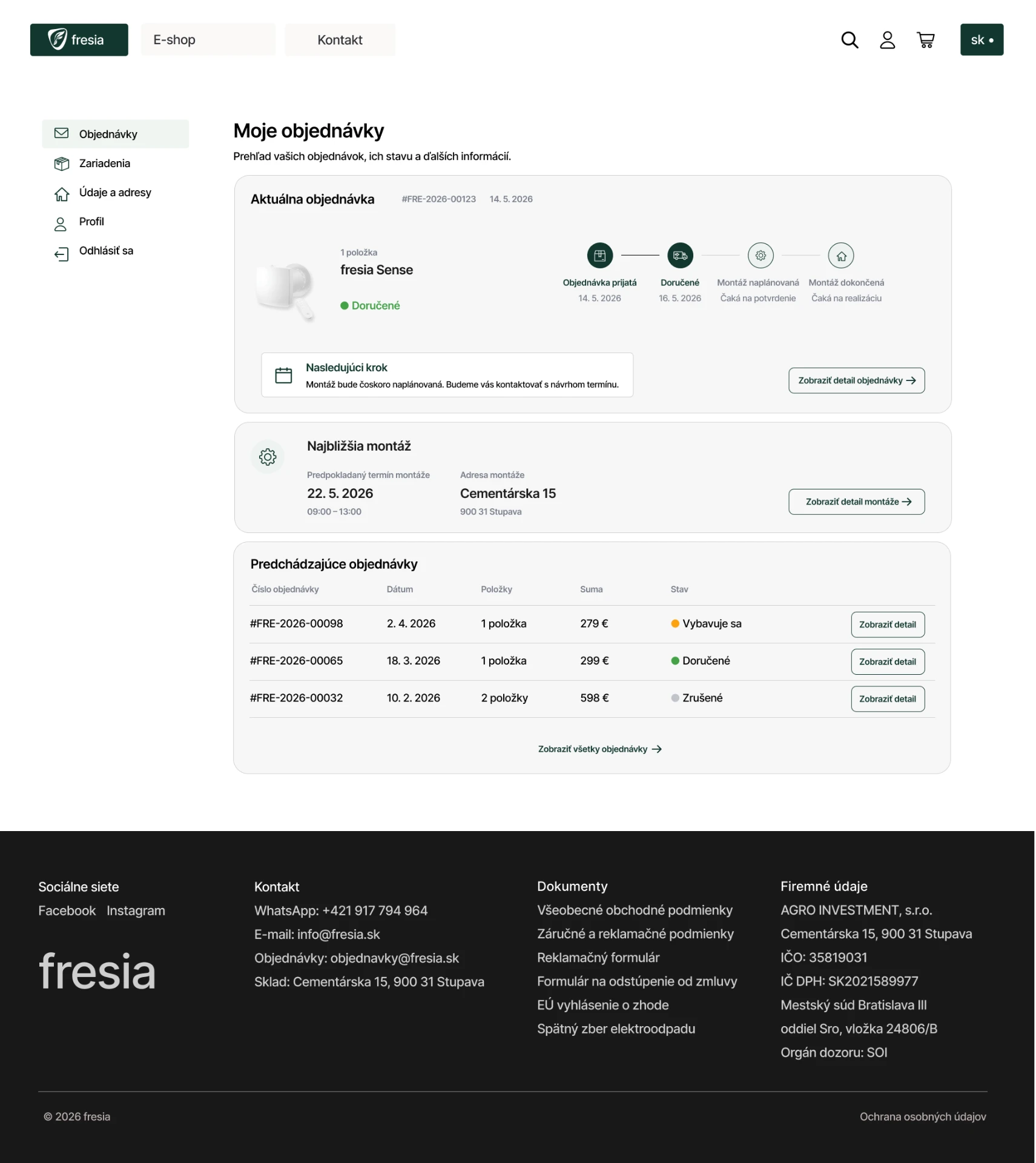
One connected customer experience.
What began as a product-focused website evolved into a broader digital experience, connecting product exploration, purchasing, installation planning, and post-purchase management through a consistent interface.